.jpg)
.jpg)
.jpg)

Download Badoo – Free Dating App, Social Networking, Cross Platform, Instant Messaging
Overview
Badoo is a free, cross-platform desktop and mobile application designed to help users connect with others for friendship, casual encounters, or romantic relationships. The software operates as a modern social networking tool with a strong focus on real-time interaction and location-based matching. Its primary purpose is to facilitate interpersonal connections in a digital environment that mimics familiar social media behaviors, such as profile creation, messaging, and swiping to express interest.
The platform is tailored for adults seeking new social or romantic experiences, particularly those who prefer a more spontaneous and interactive approach than traditional dating services. With over 300 million users globally, Badoo offers a large and active user base, increasing the likelihood of meaningful interactions. The software supports a wide range of languages, enabling international communication and expanding its reach across diverse regions.
Users can create profiles, link to existing social media accounts like Facebook, and engage in instant messaging to build rapport. The app uses a swipe-based interface—similar to Tinder—where users swipe left or right to express interest, with successful matches referred to as 'encounters.' While the developers emphasize the platform’s safety and moderation systems, users are advised to maintain caution when sharing personal information. The software is available on Windows, Android, and iOS, supporting both desktop and mobile use.
Key Features & Capabilities
- Swipe-Based Matching System: Users interact by swiping left or right on profiles, a feature designed to streamline the process of identifying potential matches. This interface is intuitive and widely recognized, reducing the learning curve for new users.
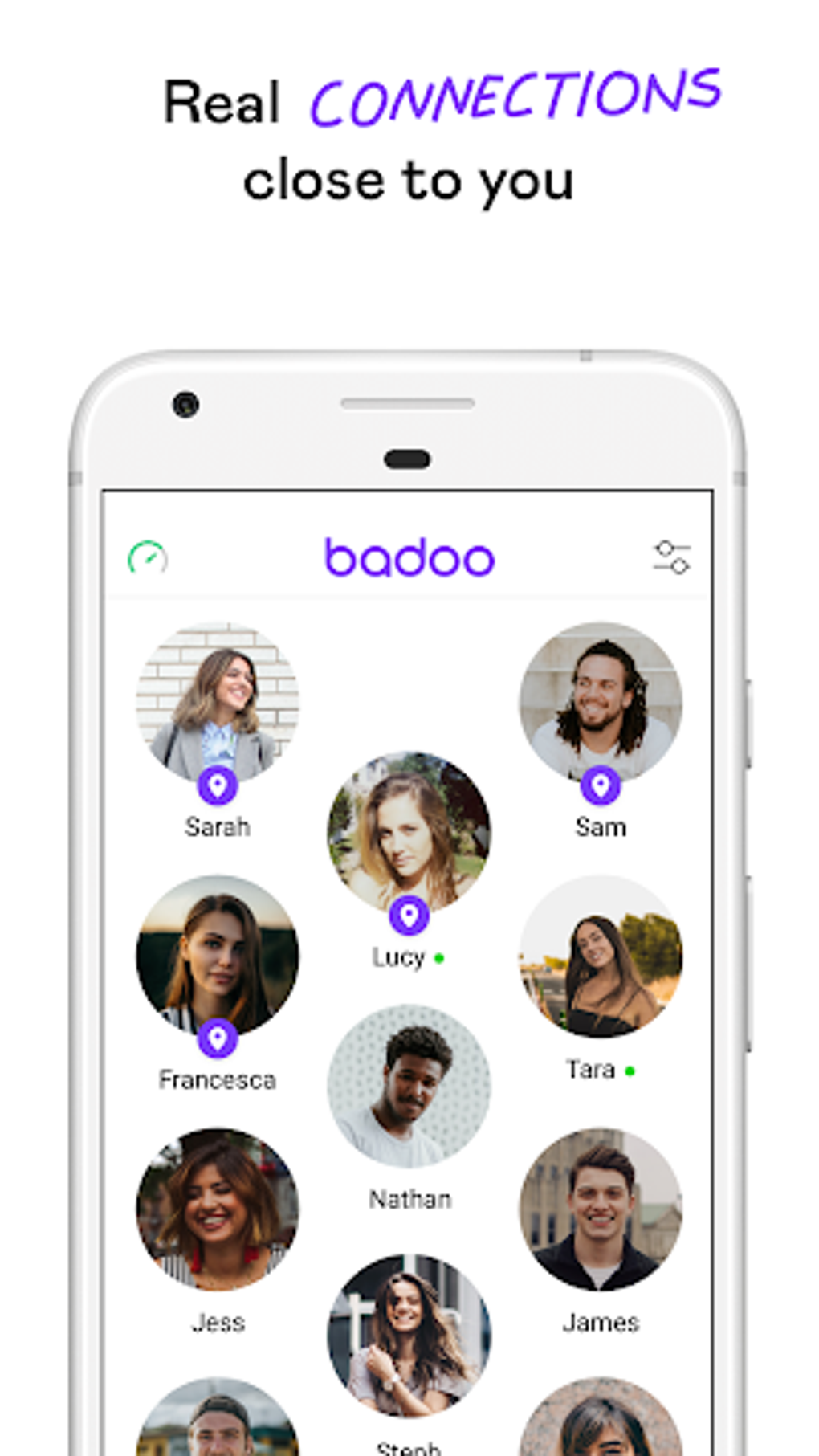
- Location-Based Matching: Badoo uses geographic data to connect users who are nearby, increasing the chances of real-world meetups. This functionality is particularly useful for those seeking local connections.
- Instant Messaging & Chat: Once a match is made, users can communicate in real time through built-in chat features. The messaging system supports text, images, and multimedia, enhancing the depth of interaction.
- Profile Creation & Customization: Users can create personalized profiles using photos, bios, and preferences. The platform enforces profile moderation to ensure authenticity and appropriateness.
- Multi-Language Support: With support for numerous languages, Badoo enables communication across international borders, broadening the pool of potential connections.
- Freemium Monetization Model: The app is free to download and use, with optional in-app purchases to unlock enhanced features. Advertising is integrated into the free version, aligning with common practices in social apps.
These features collectively support a dynamic and engaging user experience, particularly for individuals looking to expand their social circle or explore romantic possibilities in a low-pressure environment. The combination of visual interaction, real-time communication, and proximity-based matching creates a versatile tool for digital socialization.
User Interface, Workflow & Performance
The user interface of Badoo is designed with simplicity and familiarity in mind, resembling mainstream social media platforms. Navigation is straightforward, with clearly labeled sections for browsing profiles, viewing matches, accessing messages, and managing account settings. The layout is optimized for both desktop and mobile use, ensuring consistent functionality across devices.
Workflow efficiency is enhanced by the swipe-based interaction model, which allows users to quickly express interest or disinterest. The process of creating a profile, connecting with others, and initiating conversations is streamlined, minimizing friction during onboarding. The messaging interface is responsive, supporting real-time exchanges with minimal delay.
Performance details were not specified by the developer. However, based on general behavior of similar applications, the software is expected to operate smoothly under standard desktop conditions. The developer did not provide specific information on CPU or RAM usage. Stability appears to be maintained through regular updates, though exact update frequency is not disclosed. Users should expect standard performance patterns typical of cross-platform social apps.
Compatibility & System Requirements
Badoo is available for Windows, Android, and iOS operating systems. The software supports both desktop and mobile devices, allowing users to access their accounts from multiple platforms. The exact installation size was not provided, but typical applications of this nature range from 100 MB to 500 MB depending on the platform and included assets.
System requirements were not fully detailed by the developer. The software is designed to run on modern devices with standard processing power and internet connectivity. The developer did not specify minimum hardware requirements such as RAM, CPU, or graphics capabilities. Compatibility information is limited to the supported operating systems and device types.
Pros and Cons
Pros
- Free to download and use with optional in-app purchases
- Large global user base with over 300 million active users
- Intuitive swipe-based interface similar to popular dating apps
- Supports real-time messaging and multimedia sharing
- Location-based matching increases chances of in-person meetings
- Multi-language support enables international communication
- Profile moderation helps maintain authenticity and safety
Cons
- Freemium model may limit access to advanced features without payment
- Privacy risks associated with sharing personal information with strangers
- Performance and resource usage details not publicly available
- Reliance on advertising may affect user experience in the free version
- Not optimized for professional or business use cases
- Compatibility with older operating systems not confirmed
FAQ Section
Is Badoo available for Windows desktop?
Yes, Badoo is available for Windows operating systems, allowing users to access the app on their desktop computers.
Can I use Badoo without paying anything?
Yes, Badoo is free to download and use. Users can create a profile, browse, match, and message others at no cost. Optional in-app purchases are available for enhanced features.
Is Badoo safe to use?
The developers state that the app is secure and safe to use. It includes moderation systems to ensure profile authenticity and appropriateness. However, users are advised to exercise caution when sharing personal information.
Does Badoo support multiple languages?
Yes, Badoo supports a wide range of languages, enabling users to communicate with others across different regions and countries.
Can I connect my Facebook account to Badoo?
Yes, users can link their Badoo account to Facebook for easier profile setup and faster onboarding.
Final Thoughts + CTA
Badoo stands out as a versatile and widely adopted platform for social and romantic connection, combining the ease of social media with the intent of modern dating. Its large user base, intuitive interface, and cross-platform availability make it a compelling choice for adults seeking new relationships or friendships. While the freemium model may encourage in-app purchases, the core experience remains accessible to all.
For users who value spontaneity, real-time interaction, and the possibility of meeting people nearby, Badoo delivers a functional and engaging solution. The emphasis on location-based matching and multilingual support further enhances its global appeal. Although detailed performance and system requirements are not available, the app appears stable and well-integrated across supported platforms.
Download Badoo now and start connecting with new people today.





.png)

